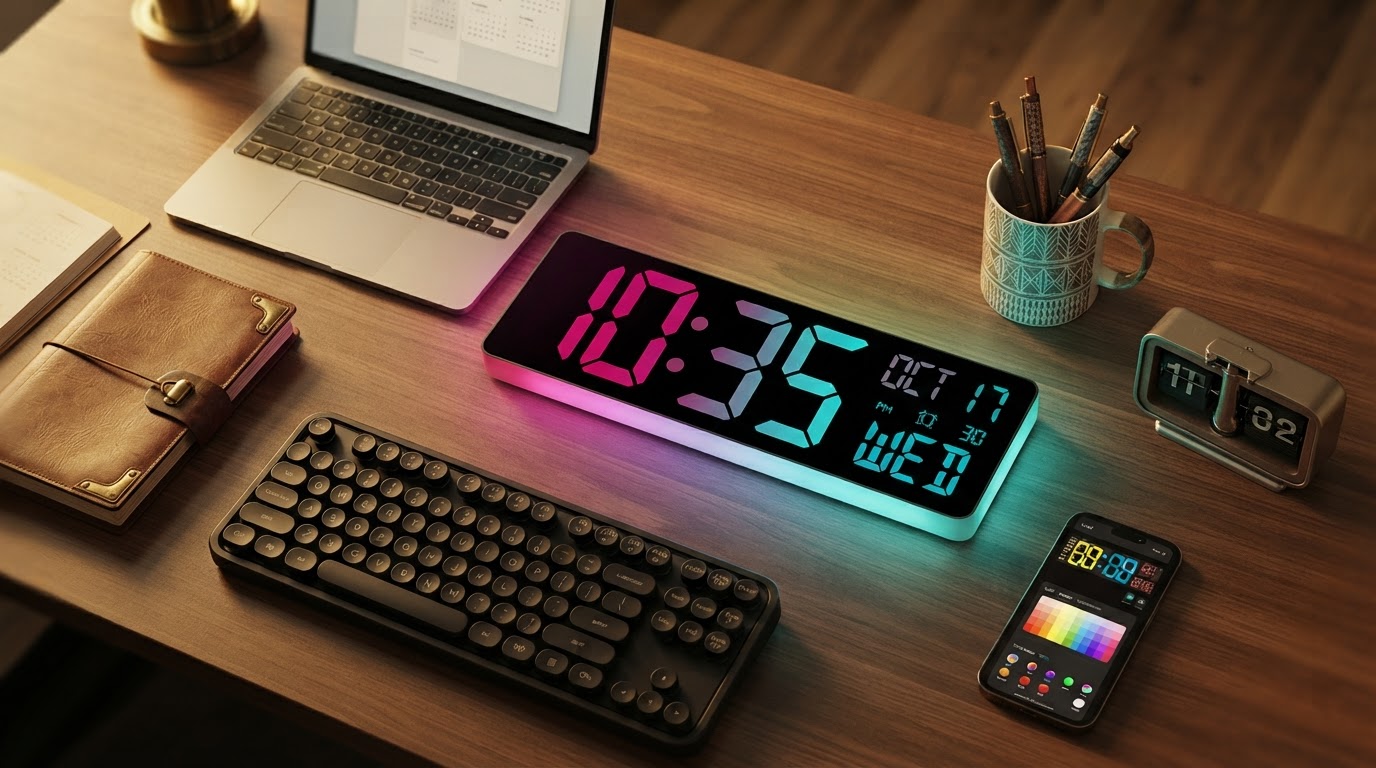
Modern Retro Decor with the Smart RGB Clock
 Jordan HaleStaff Writer
October 17, 2026. This exploration looks at how vintage aesthetics meet modern connectivity in the home office. It is written for design-conscious homeowners seeking to balance nostalgia with functional precision.
I remember the distinct hum of my grandfather’s old flip clock, a mechanical rhythm that felt like the heartbeat of his study. There was a weight to that plastic housing and a specific, warm amber glow from the backlight that felt permanent. However, that old hardware struggled with the one thing a clock must do: stay accurate. In a world of millisecond-perfect Zoom calls, the drift of a vintage quartz movement is more than a quirk; it is a liability. According to a review by ClocTeck on YouTube, modern enthusiasts are increasingly turning to a Tube Clock Simulation that utilizes stacked layers of glass digits and RGB LEDs to mimic that classic glow without the maintenance of fragile filaments. The struggle for many of us has been finding a device that captures the tactile soul of the 1970s while leveraging the stability of a wireless network. We want the look of the past but the reliability of the future. The first thing I noticed was how difficult it is to find a piece that doesn't look like a cheap plastic toy when the lights are off. Most modern digital clocks lack the depth and texture of their ancestors, opting for flat LCD panels that feel sterile in a room filled with wood grain or mid-century furniture.
Photo by RDNE Stock project on Pexels
The Smart RGB Clock addresses this aesthetic gap by marrying high-resolution IPS screens with a robust WiFi-enabled backbone. Unlike the static displays of the past, these screens allow for a level of customization that feels personal rather than programmed. Somewhere around week two, I realized I hadn't checked my phone for the time once; the clock had become a subconscious anchor on my desk. Because it supports WiFi timing, the device bypasses the manual frustration of setting the time after a power outage or daylight savings shift. This connectivity is similar to what you might find in a digital alarm clock with led backlight, but the Smart RGB Clock elevates the experience by focusing on the visual depth of the digits. It mimics the physical layering of old nixie tubes, a feat also explored in the smart nixie tube clock replica, where the light appears to exist inside the glass rather than just on the surface. The device also integrates Bluetooth control, allowing for seamless transitions between color palettes that match the time of day—cool blues for a focused morning and deep, saturated oranges for a winding-down evening. It turns out that having a clock that updates itself via NTP servers solves the primary headache of retro-style tech: the constant need for intervention.
Choosing a timepiece for a modern workspace requires a balance between utility and visual harmony. I keep coming back to the idea that a clock should be a piece of furniture first and a gadget second. When evaluating a retro digital clock with RGB and WiFi capabilities, it is helpful to look beyond the spec sheet and consider the physical presence of the object. If you are looking for something with a more graphical flair, you might consider how a pixel art clock fits into your aesthetic, as those devices prioritize vibrant animations over strict vintage replication. For those committed to the retro-modern look, the decision often comes down to the quality of the light diffusion and the ease of the wireless setup. You want a device that feels like a natural extension of your environment, not a flickering distraction. The Smart RGB Clock provides that stability, offering a variety of DIY effects and declaration modes that can be adjusted to suit the specific mood of a room. Whether you are aiming for a cyberpunk aesthetic or a clean, minimalist study, the ability to fine-tune the RGB output ensures the clock never feels out of place. It provides the same atmospheric presence as a wifi digital wall clock but in a compact, desktop-friendly form factor.
- Ensure the device supports 2.4GHz WiFi for consistent NTP time synchronization.
- Verify the use of IPS screens for wide viewing angles and deep color saturation.
- Check for a heavy, stable base that prevents the clock from sliding on polished surfaces.
- Look for Bluetooth app support to avoid complex manual button configurations.
- Confirm the availability of multiple display modes, including vintage tube simulations.
- Assess the power input requirements, typically a standard USB-C connection for modern convenience.