Smart RGB Clock Integration With Modern App Ecosystems
 Sam VasquezBuying Guide Lead
October 9, 2026. This guide explores the transition from traditional timekeeping to digital desk clocks that utilize smartphone application control for customization. It is written for home office professionals and smart home enthusiasts looking to streamline their desktop aesthetics.
The Shift Away from Manual Clock Setting
Setting a traditional digital clock often involves a frustrating sequence of holding down small plastic buttons while cycling through numbers. This manual process is becoming increasingly obsolete as users demand more granular control over their workspace environment. According to The Spruce, modern smart alarm clock models now include expanded sound libraries and custom alarms that are managed through dedicated mobile interfaces rather than physical toggles. The problem with many legacy devices, such as those found in the Digital Desk Clocks Technology Clocks Collection, is that they rely on standard LCD screens with fixed layouts. While these are reliable, they lack the flexibility to adapt to different lighting conditions or user preferences throughout the day. I have found that without app connectivity, a clock is just a static object that eventually drifts out of sync with network time. If you are using a basic minimalist smart clock with weather, you already understand the value of data density, but without an app, you are still stuck with whatever factory presets the manufacturer decided on. For those who have tried using a Digital Table Clock app on an old phone, the limitations become clear quickly: mobile screens are not designed for 24/7 high-brightness static display, leading to burn-in and battery swelling issues. This creates a gap in the market for a dedicated hardware solution that retains the ease of a mobile interface.
How Smart RGB Clock Manages Desktop Utility
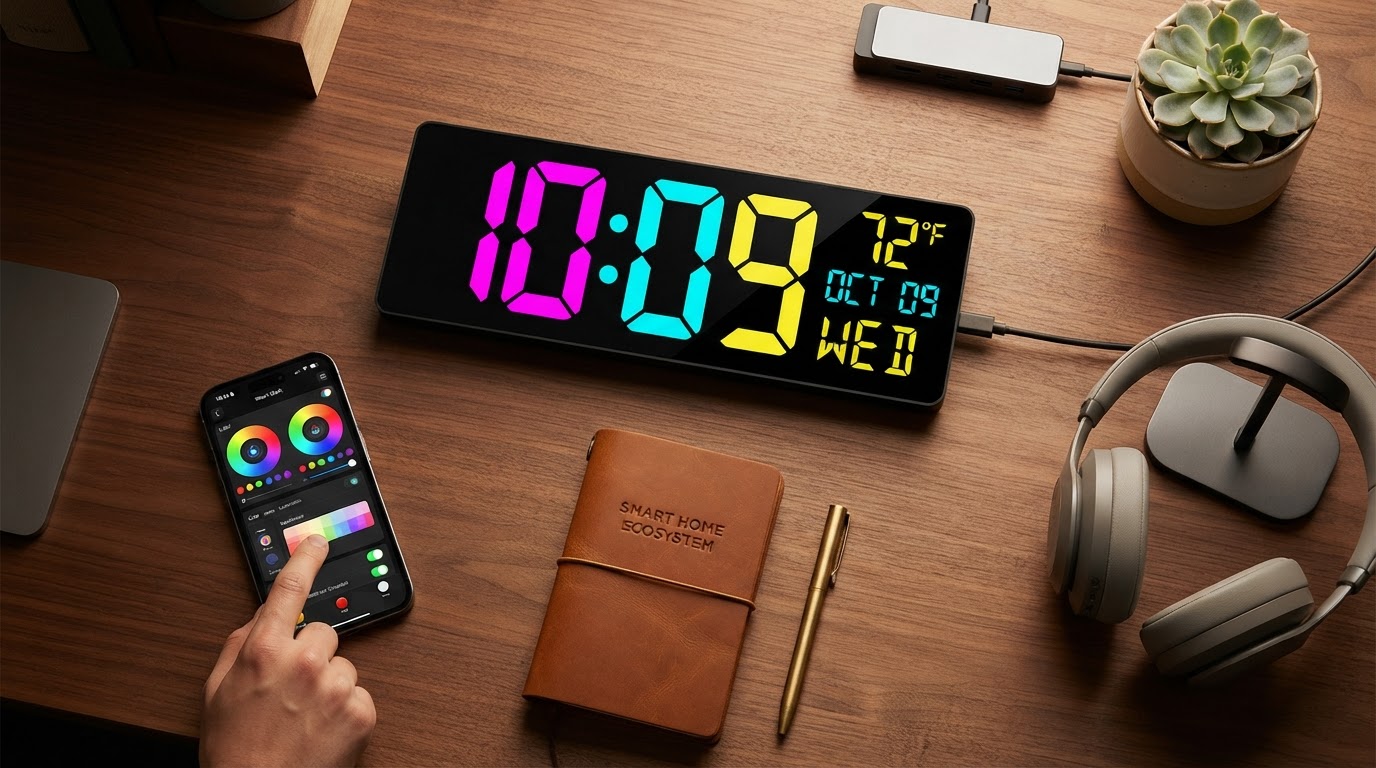
The Smart RGB Clock fills the gap between a static hardware clock and a flexible software application. By offloading the configuration to a smartphone, the physical device remains clean and uncluttered, adhering to the principles of a smart rgb clock design where the hardware serves the visual output. The app control allows for instantaneous changes to the color palette, brightness levels, and information density. Unlike the generic options often seen in a digital desktop clock review, which might only offer a few backlight colors, this device utilizes full RGB spectrum control. This means you can match your clock's glow to your PC's internal lighting or your room's ambient mood. When I look at the customizable led alarm clock category, the ability to schedule dimming periods via an app is the standout feature. You can set the clock to automatically drop to 10% brightness at 11:00 PM and return to full visibility at 8:00 AM without ever touching the device. The synchronization happens over Wi-Fi, ensuring that the time is always accurate to the second, pulled from NTP servers. This eliminates the "drift" common in the standalone digital table clocks mentioned earlier. Between these two approaches—manual hardware and app-integrated hardware—I'd go with the app-integrated version every time because it treats the clock as a dynamic peripheral rather than a dumb appliance.
Choosing the Right App-Controlled Clock Interface
When you are deciding which digital desk clock with app control to bring into your space, you need to evaluate the software as much as the hardware. Skip this if you prefer a device that never connects to the internet; these clocks require a network to reach their full potential. If you're on a budget, a standard LCD clock from a technology collection might suffice, but you will lose the ability to customize visuals on the fly. Here's what I'd actually buy: a dedicated RGB unit that supports OTA (Over-The-Air) updates, ensuring the app and the clock stay compatible as mobile operating systems evolve. You should look for a few specific indicators of quality during your search. First, check if the app allows for "scene" saving, so you can toggle between work modes and relaxation modes. Second, ensure the hardware uses high-quality LEDs that don't flicker at lower brightness levels. Third, verify that the clock can display more than just the time, such as weather or stock tickers, which leverages the data connection provided by the app. A minimalist smart clock with weather is only as good as the frequency of its data refreshes. Finally, consider the power source; a USB-C connection is preferred for modern desk setups to maintain a clean cable management profile. By focusing on these technical requirements, you ensure that your customizable led alarm clock remains a functional part of your workflow for years rather than becoming e-waste when a single button fails.